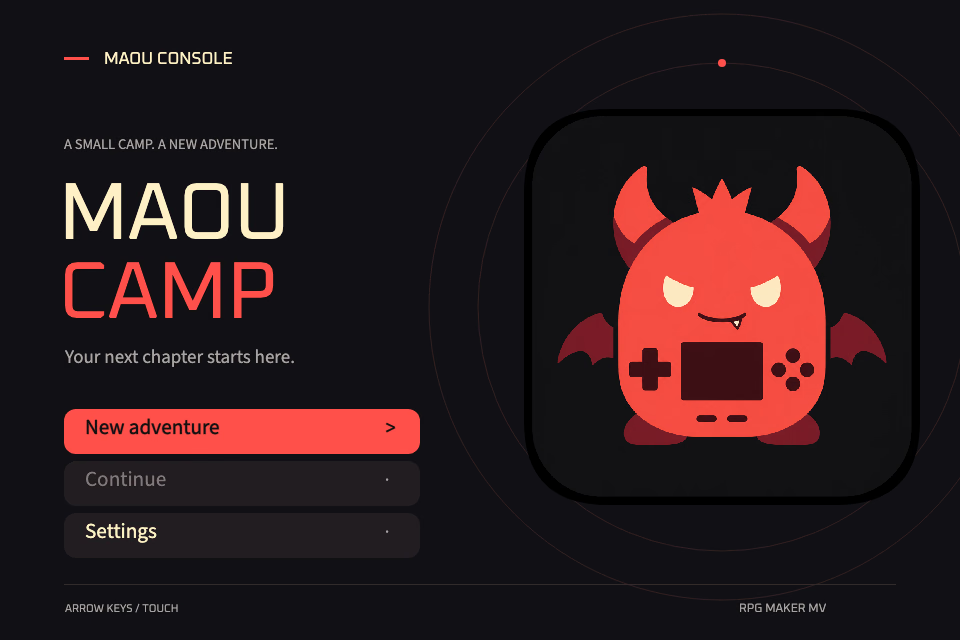
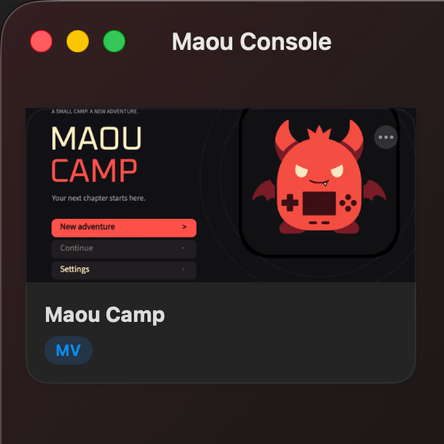
Maou Camp · Original demoMVYour library, on your device
ONE GAME. YOUR OWN ADVENTURE.
RPG MAKER
MVMZXPVXVX Ace
iPhone · iPad / Mac
IN-GAME TOOLS
Your adventure.
Your pace.
Keep practical controls close while you play. Open the cheat panel or choose a speed from the game toolbar on iPhone, iPad and Mac.
Built-in cheats, ready when you need them
Search and edit gold, variables, switches, items and party values. Quick tools offer recovery, stat locks and battle actions; the Map tab lets you travel and inspect or change event conditions.
Gameplay pauses while the panel is open, so you can review a change before returning to the game.
Slow it down. Pick up the pace.
Choose one of seven fixed speeds, from 0.25× to 8×, directly from the toolbar menu. The current multiplier stays visible, and 1× returns you to normal speed.
0.25×
0.5×
1×
1.5×
2×
4×
8×
Available in the native app. Tool availability and effects depend on the game, engine and plugins. Back up a save before changing game state.
GAME TRANSLATION
Your next story.
In your own words.
Use your MTool translation files on iPhone, iPad and Mac. Import a catalog, refine the dialogue, and continue your adventure in a language you know.
01
Compatible with MTool JSON
Import MTool JSON translation dictionaries directly, or use Maou’s .mt catalogs. Discover bundled translations and manage them per game.
02
Make the words your own
Review original text and edit translations side by side. Refine an entry, then export in MTool JSON or Maou format for reuse.
03
Choose a catalog and play
Enable a translation for each game, switch catalogs, or turn translation off to return to the original text.
Available in the iPhone, iPad and Mac app. Uses translation catalogs without modifying the original game files. Coverage depends on the catalog and game.
Compatible controllers are supported in the separately distributed Mac edition. App Store builds use touch or keyboard input.
BEFORE YOU START
A few things worth knowing.
Does Maou Console come with games?
No. Bring complete game files you have the right to use. The example shown here is not bundled with the app, and RTP packages must be obtained separately.
Can I move saves between devices?
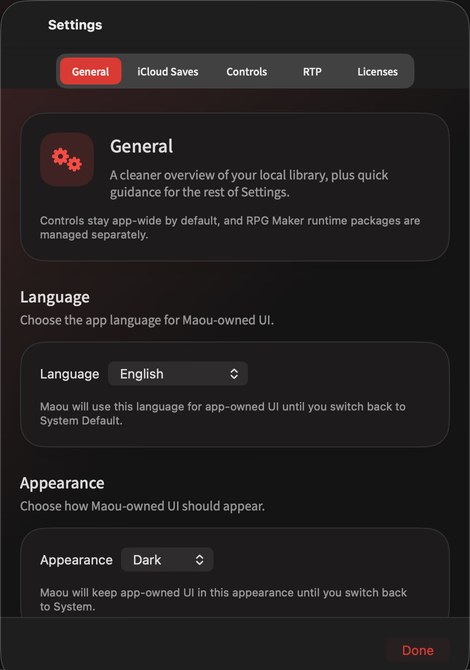
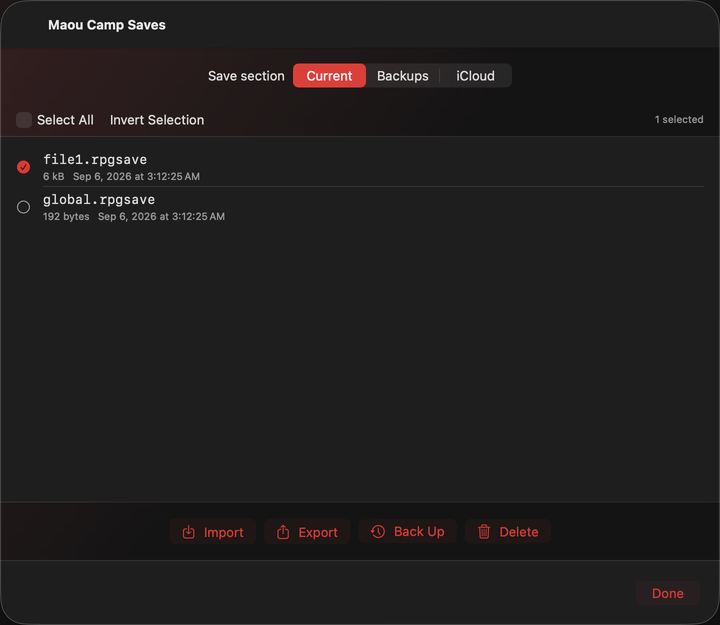
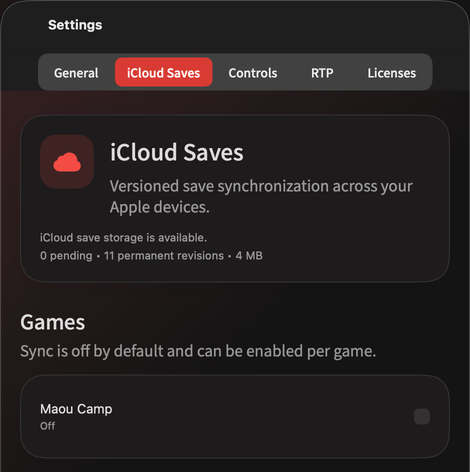
You can export and import compatible save files. Builds with iCloud save sync enabled also offer optional sync; availability depends on the installed edition. The direct-download Mac edition does not include iCloud sync. Game files are not synced.
Can every RPG Maker game run?
The native app supports MV, MZ, XP, VX and VX Ace, but custom scripts, plugins and platform-specific dependencies can affect compatibility. The Web Player supports complete MV/MZ web games only, and cannot run Windows executables or native extensions.
Do I need to upload my games?
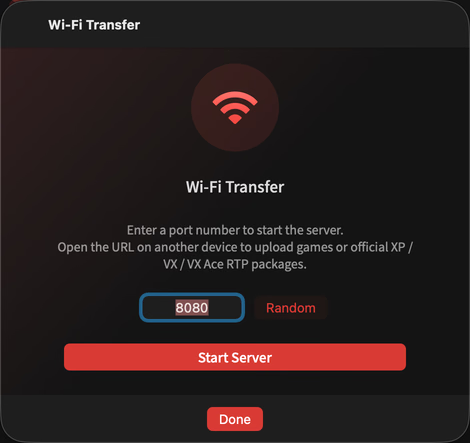
No upload to our servers is needed. The native app keeps imported games locally; Wi-Fi Transfer sends files over your local network. The Web Player reads a selected folder or stores a browser copy. Optional iCloud sync transfers saves through your Apple Account.
MAOU CONSOLE
A little more room for adventure.
Bring your games. Keep your progress. Play on your terms.
Maou Camp · Original demoMVYour library, on your device
ONE GAME. YOUR OWN ADVENTURE.
RPG MAKER
MVMZXPVXVX Ace
iPhone · iPad / Mac
IN-GAME TOOLS
Your adventure.
Your pace.
Keep practical controls close while you play. Open the cheat panel or choose a speed from the game toolbar on iPhone, iPad and Mac.
Built-in cheats, ready when you need them
Search and edit gold, variables, switches, items and party values. Quick tools offer recovery, stat locks and battle actions; the Map tab lets you travel and inspect or change event conditions.
Gameplay pauses while the panel is open, so you can review a change before returning to the game.
Slow it down. Pick up the pace.
Choose one of seven fixed speeds, from 0.25× to 8×, directly from the toolbar menu. The current multiplier stays visible, and 1× returns you to normal speed.
0.25×
0.5×
1×
1.5×
2×
4×
8×
Available in the native app. Tool availability and effects depend on the game, engine and plugins. Back up a save before changing game state.
GAME TRANSLATION
Your next story.
In your own words.
Use your MTool translation files on iPhone, iPad and Mac. Import a catalog, refine the dialogue, and continue your adventure in a language you know.
01
Compatible with MTool JSON
Import MTool JSON translation dictionaries directly, or use Maou’s .mt catalogs. Discover bundled translations and manage them per game.
02
Make the words your own
Review original text and edit translations side by side. Refine an entry, then export in MTool JSON or Maou format for reuse.
03
Choose a catalog and play
Enable a translation for each game, switch catalogs, or turn translation off to return to the original text.
Available in the iPhone, iPad and Mac app. Uses translation catalogs without modifying the original game files. Coverage depends on the catalog and game.
Compatible controllers are supported in the separately distributed Mac edition. App Store builds use touch or keyboard input.
BEFORE YOU START
A few things worth knowing.
Does Maou Console come with games?
No. Bring complete game files you have the right to use. The example shown here is not bundled with the app, and RTP packages must be obtained separately.
Can I move saves between devices?
You can export and import compatible save files. Builds with iCloud save sync enabled also offer optional sync; availability depends on the installed edition. The direct-download Mac edition does not include iCloud sync. Game files are not synced.
Can every RPG Maker game run?
The native app supports MV, MZ, XP, VX and VX Ace, but custom scripts, plugins and platform-specific dependencies can affect compatibility. The Web Player supports complete MV/MZ web games only, and cannot run Windows executables or native extensions.
Do I need to upload my games?
No upload to our servers is needed. The native app keeps imported games locally; Wi-Fi Transfer sends files over your local network. The Web Player reads a selected folder or stores a browser copy. Optional iCloud sync transfers saves through your Apple Account.
MAOU CONSOLE
A little more room for adventure.
Bring your games. Keep your progress. Play on your terms.